-
VR games – the most popular Android apps

VR games appeared quite a long time ago. However, for a long time they were inaccessible to the general public. Often these were VR games on a PC. Now the popularity of VR games is gradually growing. Although they still haven’t entered the mass market. Next year, we can expect better and more advanced VR…
-
How to launch a website without attachments?

How to launch a website without attachments is a question that interests all novice webmasters. First of all, let’s answer this question in the affirmative. YES, you can create a website without attachments. And on this occasion there are many recommendations and tricks. You can even promote the site without attachments. And there are tricks…
-
Xiaomi Mi Watch Screen Replacement

Xiaomi Mi Watch Screen Replacement is a process that requires skill and experience. First of all, this procedure can only be performed by an experienced master. Unfortunately, the replacement of glass and screen is associated with certain difficulties. For this reason, amateurs and novice masters can make mistakes. As a result, this can lead to…
-
Xiaomi Mi 11 does not turn on

Xiaomi Mi 11 does not turn on – what to do in this case? Connect your phone to the charger. Leave the gadget on charge for 15-20 minutes. Then try to turn on the phone. Check whether it turns on or not. Important: you should not carry out such manipulations with the Xiaomi Mi 11…
-
Acer fan – setting the rotation speed
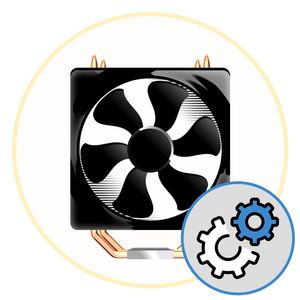
The Acer fan can run at different speeds. As a rule, the rotation speed is adjusted automatically. But under certain circumstances, you may need to configure. Let’s look at some simple ways to configure the Acer cooling system. First of all, Acer Aspire fans can be configured programmatically or manually via the BIOS. For example,…
-
How to reboot Xiaomi Mi?

How to reboot Xiaomi Mi with your own hands, and even at home? If you notice that the phone freezes, thinks for a long time, does not react, then perhaps it is overloaded. Here you can suggest a quick reboot to free up RAM. Restarting does not erase any data. It consists only in turning…
-
Lenovo IdeaPad 320 keyboard does not work

The Lenovo IdeaPad 320 keyboard may stop working in some cases. First of all, let’s determine why the keyboard on the Lenovo laptop does not work. Based on this, you can take actions to fix the problem. Firstly, the reason may be purely mechanical. For example, damage to the Lenovo keyboard due to external influences.…
-
Android does not see the PC: what to do?

Android doesn’t see the PC? An unpleasant situation that every user can bump into. If Android does not see the PC, then we suggest trying eight methods. They will help to fix this problem. So, we decided to connect the Android phone to the computer using a USB cable. For example, to transfer files. But…
-
Smartphone is buggy – Causes and ways to eliminate them

If the smartphone is buggy, first of all check the memory. As a rule, the memory is clogged with media files. Sometimes from messengers Telegram, Whatsapp. This problem is easily solved by cleaning the memory. Even better – to prevent re-clogging. To do this, configure messengers so that they do not save files on the…
-
How to turn on WiFi on an Asus netbook

How to turn on WiFi on an Asus netbook? Any netbook user has encountered this issue. First of all, the problem of connecting a netbook to a home network is extremely relevant. As a rule, it consists in the absence of a network port. As a result, the only option is a wireless connection via…